/
Create a New Template
Create a New Template
- Former user (Deleted)
- Andres Toledo
- Former user (Deleted)
- Former user (Deleted)
Owned by Former user (Deleted)
Overview
Komet allows you to create templates and add them to the Prebooks. To do so, please follow the next steps:
Related Content
Tip
- A template can be associated to a Customer Group. Type in the Customer Group name by entering 3 letters, select the customer group and click on Save.
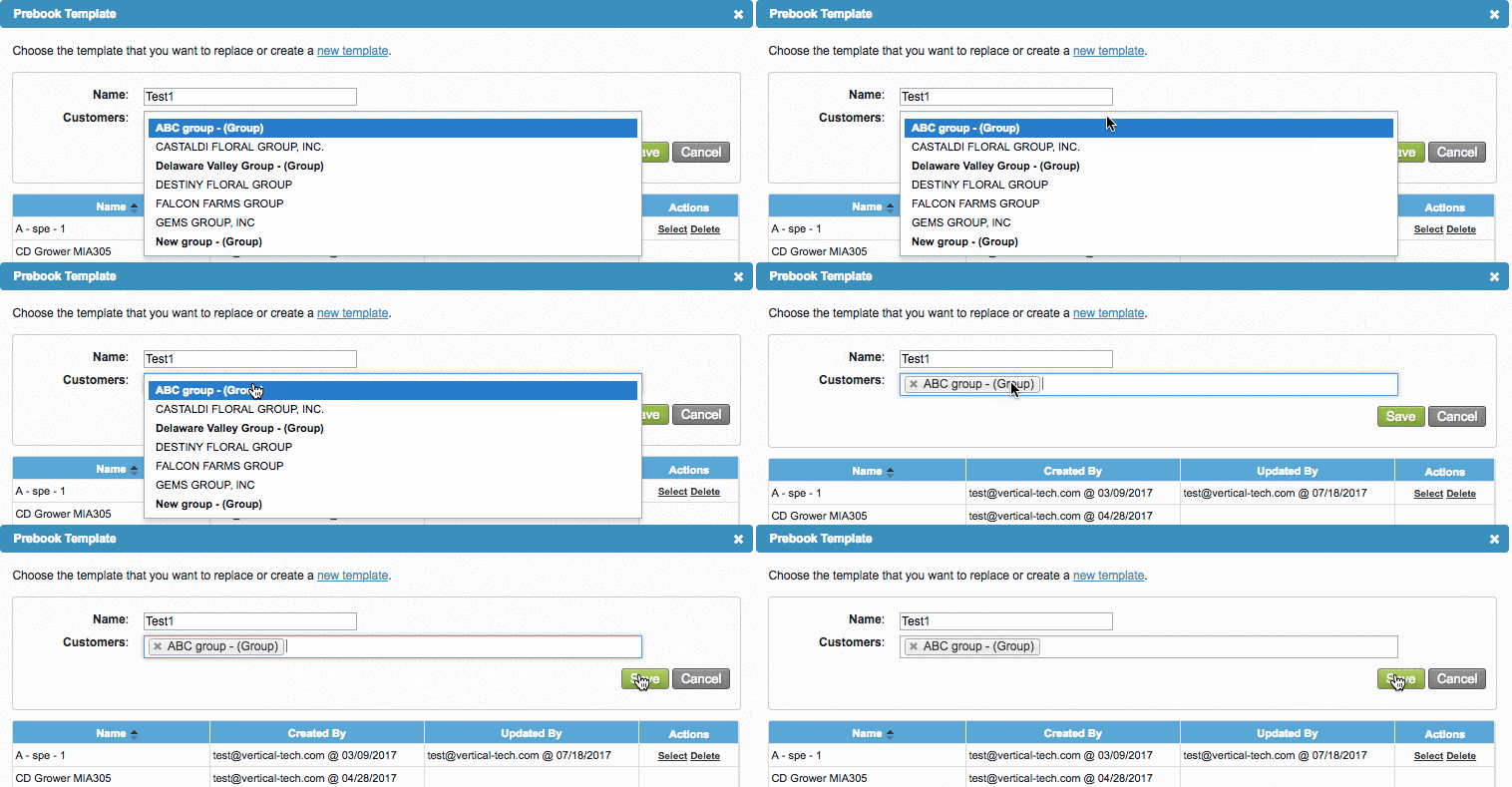
We've encountered an issue exporting this macro. Please try exporting again later.
Related content
Create a Prebook from a Template
Create a Prebook from a Template
More like this
Add Declared Value
Add Declared Value
More like this
Quickstart Guide: Prebooks
Quickstart Guide: Prebooks
More like this
Object Mapping from Prebook Summary
Object Mapping from Prebook Summary
More like this
Replace a Prebook Template
Replace a Prebook Template
More like this
Add Products to Your Komet Account
Add Products to Your Komet Account
More like this