/
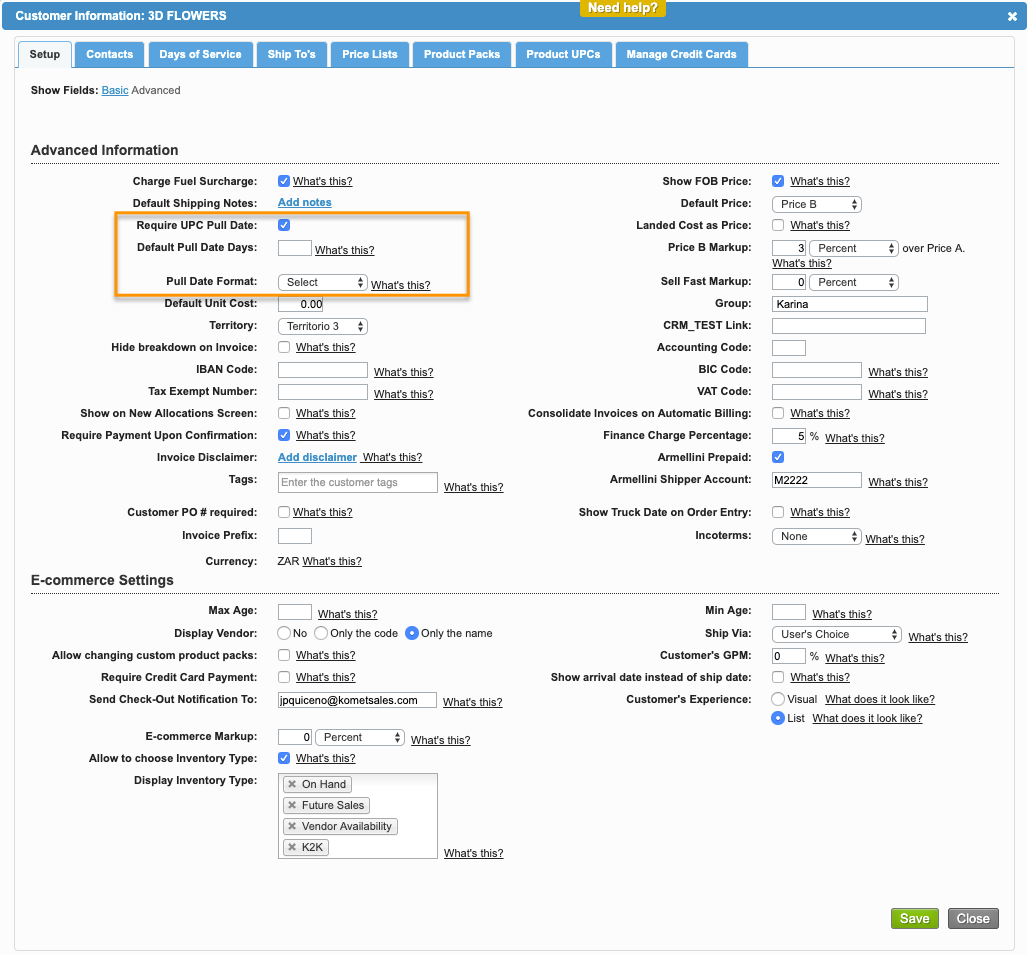
UPC Pull Date Options per Customer
UPC Pull Date Options per Customer
- Former user (Deleted)
- Andres Toledo
Owned by Former user (Deleted)
Overview
The UPC Pull Date information can be setup for Mass Market Customers.
Instructions
Related Articles
We've encountered an issue exporting this macro. Please try exporting again later.
Related content
Calculate Pull Date on Load Automatically
Calculate Pull Date on Load Automatically
More like this
Advanced Customer Account Setup
Advanced Customer Account Setup
More like this
Set up a Customer's Days of Service
Set up a Customer's Days of Service
More like this
Shipping Schedule by Vendor
Shipping Schedule by Vendor
More like this
Add a Product's UPC Information
Add a Product's UPC Information
More like this
Drop sequence
Drop sequence
More like this