/
Don't Allow to Change Dates of Payments Received
Don't Allow to Change Dates of Payments Received
- Former user (Deleted)
- Andres Toledo
Owned by Former user (Deleted)
Last updated: Dec 04, 2023 by Andres Toledo
Overview
This article explains how to restrict users from editing payment dates.
How does this option work?
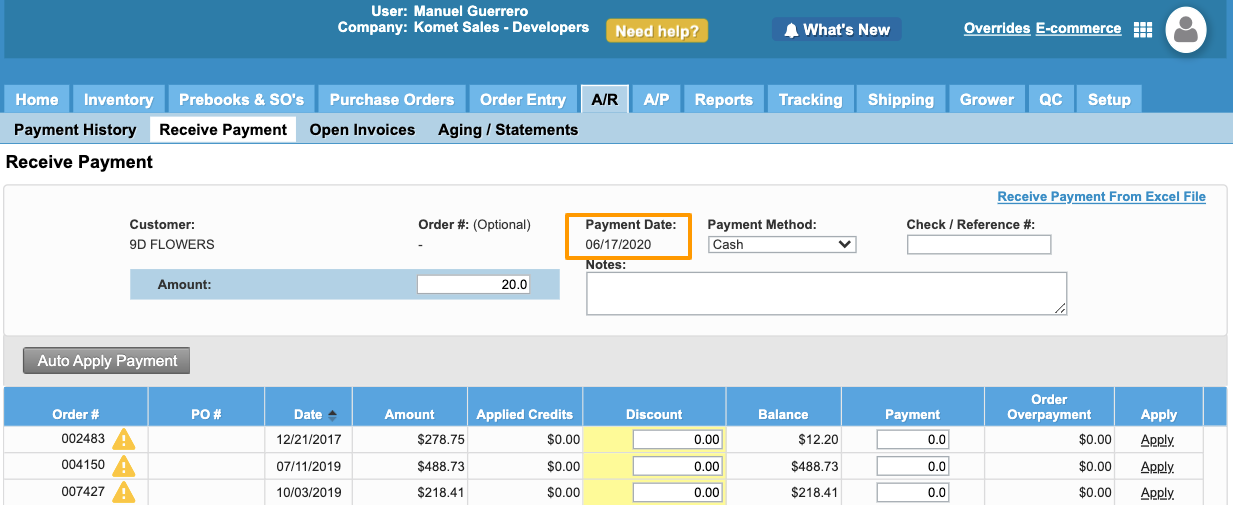
By default, users can select the payment date while editing or applying a payment. However, the system allows to restrict some users from editing the payment date. Once this option has been enabled, the payment date will appear as a label.
Instructions
Related Articles
We've encountered an issue exporting this macro. Please try exporting again later.
, multiple selections available,
Related content
Payment History & Editing Payments
Payment History & Editing Payments
More like this
How to Edit a Payment
How to Edit a Payment
More like this
Restrict Credit Card Payments
Restrict Credit Card Payments
More like this
Payment Restrictions
Payment Restrictions
More like this
Restrict Purchase Order Confirmations
Restrict Purchase Order Confirmations
More like this
Credit Restrictions
Credit Restrictions
More like this