/
Allow Invoice Approval on Reconciliation Screens
Allow Invoice Approval on Reconciliation Screens
- Former user (Deleted)
- Andres Toledo
Owned by Former user (Deleted)
Last updated: Dec 04, 2023 by Andres Toledo
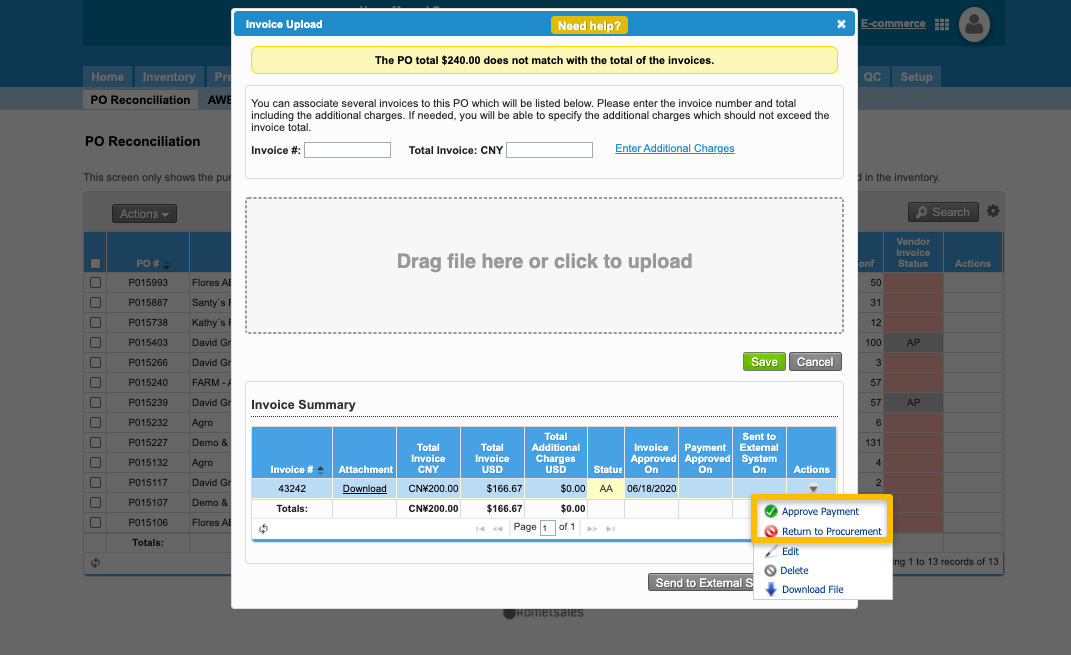
During the reconciliation process for your vendor invoices, you have the option of uploading vendor invoices that should follow an approval workflow. This article explains how to set user permissions so they are allowed to approve or reject vendor invoices from the PO Reconciliation and /wiki/spaces/DOC/pages/6619337 screens.
Instructions
How does this option work?
Once enabled, the system will allow the user to approve vendor invoices, both from the AWB Reconciliation and PO Reconciliation screens.
Related Articles
We've encountered an issue exporting this macro. Please try exporting again later.
, multiple selections available,
Related content
Update an Invoice Item
Update an Invoice Item
More like this
Add Multiple Items to an Invoice
Add Multiple Items to an Invoice
More like this
Payment Terms Setup
Payment Terms Setup
More like this
Payment Links
Payment Links
More like this
Delete Purchase Orders
Delete Purchase Orders
More like this
Advanced Customer Account Setup
Advanced Customer Account Setup
More like this