/
Restrict single Item addition to Prebooks
Restrict single Item addition to Prebooks
- Former user (Deleted)
- Andres Toledo
Owned by Former user (Deleted)
In case you want to restrict the type of inventory salespeople are allowed to add to prebook orders, you can activate this option. Once it has been enabled, salespeople will only be able to add items coming from future sales and vendor availability inventories.
How Does this Option Work for Salespeople?
Users that have this option enabled will only be able to create prebooks with items from Vendor Availability and Future Sales inventories.
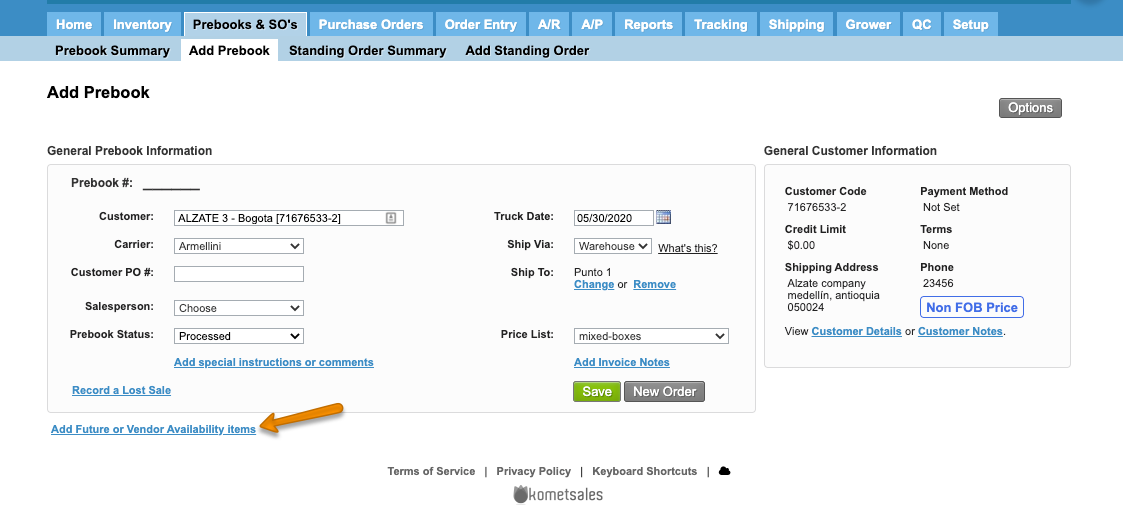
Instructions
Related Articles
We've encountered an issue exporting this macro. Please try exporting again later.
Related content
Add Items to a Prebook from Future Inventory or Vendor Availability
Add Items to a Prebook from Future Inventory or Vendor Availability
More like this
Hold a Prebook Item
Hold a Prebook Item
More like this
Prebooks
Prebooks
More like this
Hide Inventory From Sales Screens
Hide Inventory From Sales Screens
More like this
Manage Prebooks from Vendor Availability
Manage Prebooks from Vendor Availability
More like this
Quickstart Guide: Prebooks
Quickstart Guide: Prebooks
More like this